FOLLOW US

Tuesday, May 21, 2013

CLARIFIED for Clarizen: report section added to the portal.


Together with the release of CLARIFIED for Clarizen v1.3.3 we've also added a new section to the CLARIFIED for Clarizen portal: the report section.

In this new section it's possible to download template reports which can serve as a starting point for your custom reports. We're starting off with Microsoft Excel templates and will expand the section with templates for other BI tools like Tableau in the coming months.


Microsoft Excel templates in the following categories are now available for you to download: summaries, project, financials and resources. In the weeks to come we will extend the Microsoft Excel templates portfolio with new templates and new categories.


Templates that are available right now are:
      • Customer summary
      • Projects overview on state
      • Projects earned value chart
      • Billing
      • Resource Utilization
Watch this video to see where you can find the report section and how to download and refresh the Microsoft Excel template you downloaded!

Sign-up now!
You can use Clarified for Clarizen free for 30 days to make sure you like it. We don't ask you for a credit card when you sign up, so if you don't like it, there's nothing to cancel. And because Clarified is Cloud Based, there is nothing to install! Click here to try it free for 30 days.

More information
Visit our website at www.clarified.biz for more information about CLARIFIED for Clarizen.

Friday, May 17, 2013

CLARIFIED for Clarizen version 1.3.3 released


We are proud to announce that we've released CLARIFIED for Clarizen version 1.3.3 with improved backend processing and increased overall performance! Watch the product video here.

Reporting for billing purposes is now even easier with the added fields:
  • Billing Type (Actual Cost, Fixed Price, Not Billable)
  • Has Fixed Price, Has Fixed Cost
  • Cost Type (Actual Cost, Fixed Cost)


We've also added new count measures:
  •  New count measures (Work Item Count, Project Count)


Added value
CLARIFIED for Clarizen’s added value consists of:
  • Within a few clicks access to all your Clarizen Project data.
  • Out-of-the-box slice and dice functionality.
  • No more time needed to develop Excel queries or lookup’s.
  • Out-of-the-box dash boarding on an Executive level is. One can even set Revenue or Profit Goals on any given context (like a given Portfolio and Year period) and compare the Actuals against it graphically.
  • Out-of-the-box reporting for billing purposes is easy. Fields include Billing Type, Fixed Price and Period selection. So reporting all Revenue that should be billed in a given period is easy and saves a lot of time and errors for the accounting department.
  • Resource Utilization can be represented graphically, both on individual and on Group level. Resource Utilization can be shown on Planned and Actual effort.
  • Tracing inconsistent data entry in Clarizen is made easy. Like reporting all Time sheet effort that is not approved yet.
  • CLARIFIED for Clarizen can connect to numerous BI tools like Tableau, Dundas, Cubeware and TARGIT.

30-Day free Trial
You can use Clarified for Clarizen free for 30 days to make sure you like it. We don't ask you for a credit card when you sign up, so if you don't like it, there's nothing to cancel. And because Clarified is Cloud Based, there is nothing to install! Click here to try it free for 30 days.

More information
Visit our website at www.clarified.biz for more information about CLARIFIED for Clarizen.

Thursday, March 21, 2013

OLAP PivotTable Extension

Recently I was working on a PivotTable Report with data from a SSAS Cube (Excel version 2010).
I needed a Profitability Trend calculation for a client, but this calculation was not available in the Cube. Because in Excel 2010 the functionality to create calculated measures is not exposed in the User Interface, I searched on the internet and found OLAP PivotTable Extension, a free add-in for Excel.


Click here to check out the features of OLAP PivotTable Extension.

Thursday, February 21, 2013

CLARIFIED for Clarizen Pricing Plan Update

We have updated our CLARIFIED for Clarizen pricing plan for large volume users of Clarizen (75+) and wanted to share this information with you.

The new CLARIFIED for Clarizen plan will include the following:
• A fixed yearly license fee of USD 6,500, for an unlimited user count.
• Optional one-time setup fee of USD 2,300 for custom fields.
• Optional but recommended: prepaid 10 hours of consultancy for USD 1,200.


Why we changed the pricing plan

CLARIFIED for Clarizen has grown and we have learned a lot over the last year, and our users, partners and others have provided valuable feedback to us along the way. We understood that the license fee was getting too high for large volume users of Clarizen (75+) and for that reason we changed it.


30-Day free Trial
You can use Clarified for Clarizen free for 30 days to make sure you like it. We don't ask you for a credit card when you sign up, so if you don't like it, there's nothing to cancel. And because Clarified is Cloud Based, there is nothing to install! Click here to try it free for 30 days.

Clarizen Apps Store
You can also find us in the Clarizen Apps store here.


Thursday, February 14, 2013

CLARIFIED for Clarizen - Tableau

Probably you already knew that CLARIFIED for Clarizen is the reporting and analysis service for Clarizen users, offers rich dashboards and enables you to analyze your Clarizen data across all projects, using various criteria. All this within just a few mouse clicks.

But did you know it can be used as a source for bringing your reports and dashboards through Tableau?

Tableau
Tableau is a Business Intelligence software that provides browser-based analytics and reporting anyone can learn and use. It’s a rapid-fire alternative to the slow pace and rigidity of traditional Business Intelligence software. Click here for more information about Tableau.

Experience
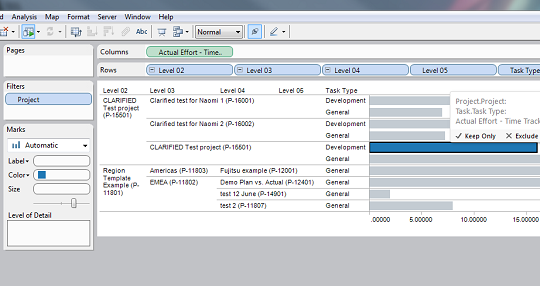
After downloading Tableau, it just took me 5 minutes to install and connect Tableau to the CLARIFIED for Clarizen cube. Connecting to the cube was very easy with an Analysis Services Connection in Tableau. Within a view clicks I had instant reporting and visualization!


Besides using Tableau other third party Business Intelligence or reporting solutions like DundasTargitQlikView or RoamBI can be used to create your own dashboards.

Interested in CLARIFIED for Clarizen? Please contact us via info@bi-architects.nl or visit our www.clarified.biz portal for more information and to start your trial of today!